> ## Documentation Index
> Fetch the complete documentation index at: https://0g.mintlify.site/llms.txt
> Use this file to discover all available pages before exploring further.

# Vercel ai sdk

# Vercel AI SDK Integration

<Warning>
  **Integration Status: In Progress** - This integration is currently under development. The PR is pending merge: [vercel/ai#8976](https://github.com/vercel/ai/pull/8976)
</Warning>

## Integration Preview

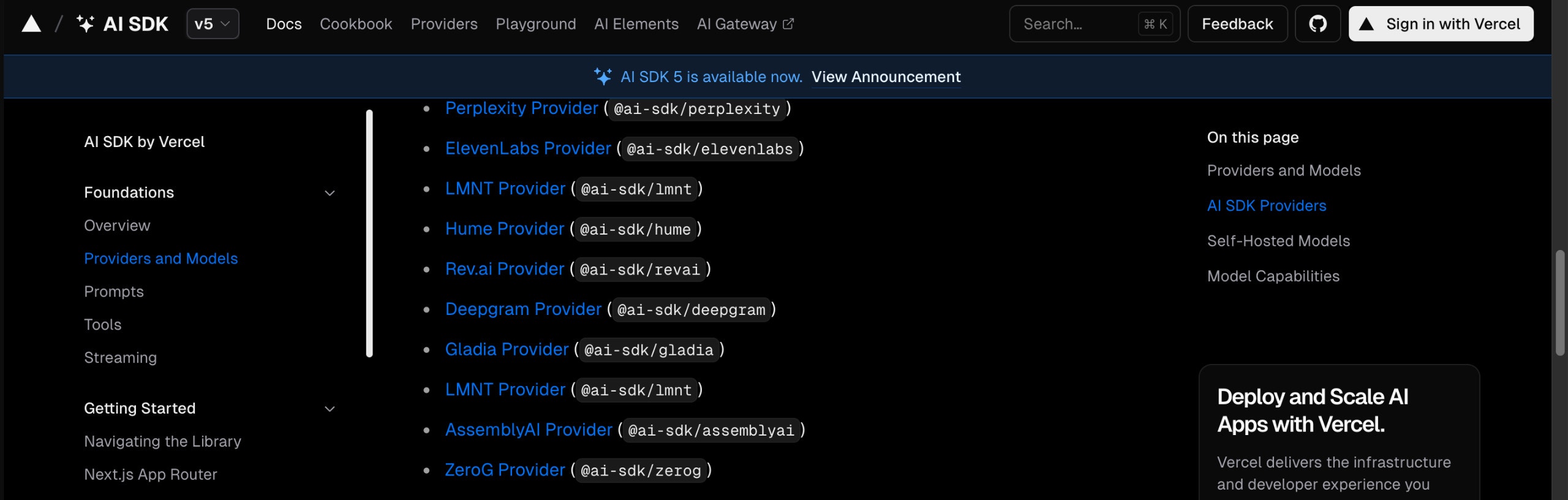
See how 0G integrates with the Vercel AI SDK for modern web applications:

<img src="https://mintcdn.com/0g/Wq1tn6HrsfFnFF3P/images/vercel-ai-sdk-1.jpeg?fit=max&auto=format&n=Wq1tn6HrsfFnFF3P&q=85&s=4a3cc3d7b9a15213fea689b0a3f2fe25" alt="Vercel AI SDK 0G Integration - React Components and Hooks" width="2560" height="816" data-path="images/vercel-ai-sdk-1.jpeg" />

*React components and hooks for building conversational UIs with 0G*
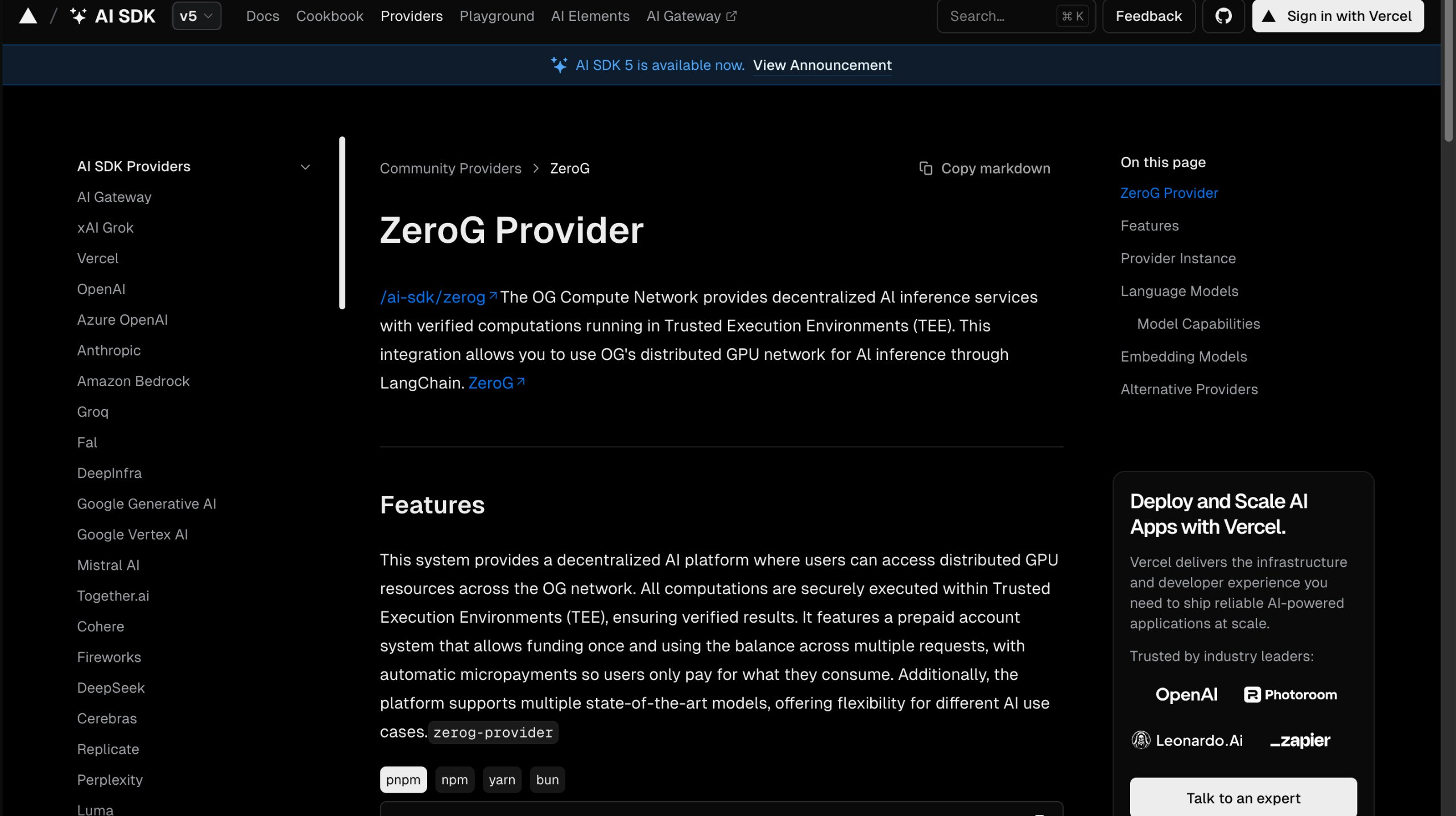
<img src="https://mintcdn.com/0g/Wq1tn6HrsfFnFF3P/images/vercel-ai-sdk-2.jpeg?fit=max&auto=format&n=Wq1tn6HrsfFnFF3P&q=85&s=9c95fdad56164c2230c8758fc17e9f57" alt="Vercel AI SDK 0G Integration - Streaming and Real-time Features" width="2560" height="1435" data-path="images/vercel-ai-sdk-2.jpeg" />

*Streaming implementation and real-time chat features*

## Overview

The Vercel AI SDK is a React-first framework for building conversational user interfaces with streaming capabilities and full type safety. The 0G integration brings decentralized compute to modern web applications.

### What is Vercel AI SDK?

The Vercel AI SDK is designed for building AI-powered applications with:

* **React Integration**: Built-in hooks for chat interfaces and streaming
* **Type Safety**: Full TypeScript support with proper type inference
* **Streaming**: Real-time response streaming for better UX
* **Edge Runtime**: Optimized for Vercel's edge functions and serverless

## Installation

Once the integration is merged, you'll be able to install it with:

```bash theme={null}
npm install @ai-sdk/nebula
```

## Supported Models

| Model                      | Provider Address                             | Best For                                     |
| -------------------------- | -------------------------------------------- | -------------------------------------------- |
| **llama-3.3-70b-instruct** | `0xf07240Efa67755B5311bc75784a061eDB47165Dd` | General conversations, content generation    |
| **deepseek-r1-70b**        | `0x3feE5a4dd5FDb8a32dDA97Bed899830605dBD9D3` | Complex reasoning, analysis, problem-solving |

## Basic Usage

### Simple Text Generation

```typescript theme={null}
import { createZG } from '@ai-sdk/0g';
import { generateText } from 'ai';

// Initialize 0G provider
const zg = createZG({
  providerAddress: '0xf07240Efa67755B5311bc75784a061eDB47165Dd', // llama-3.3-70b-instruct
  privateKey: process.env.ZG_PRIVATE_KEY!
});

// Generate text
const { text } = await generateText({
  model: zg('llama-3.3-70b-instruct'),
  prompt: 'Explain the benefits of decentralized AI compute.'
});

console.log(text);
```

### Streaming Text Generation

```typescript theme={null}
import { streamText } from 'ai';

const { textStream } = await streamText({
  model: zg('llama-3.3-70b-instruct'),
  prompt: 'Write a comprehensive guide about blockchain technology.'
});

for await (const textPart of textStream) {
  process.stdout.write(textPart);
}
```

## React Integration

### Chat Interface with useChat Hook

```tsx theme={null}
'use client';

import { useChat } from 'ai/react';

export default function ChatComponent() {
  const { messages, input, handleInputChange, handleSubmit, isLoading } = useChat({
    api: '/api/chat',
  });

  return (
    <div className="flex flex-col w-full max-w-md py-24 mx-auto stretch">
      <div className="space-y-4">
        {messages.map(message => (
          <div
            key={message.id}
            className={`flex ${
              message.role === 'user' ? 'justify-end' : 'justify-start'
            }`}
          >
            <div
              className={`rounded-lg px-4 py-2 max-w-sm ${
                message.role === 'user'
                  ? 'bg-blue-500 text-white'
                  : 'bg-gray-200 text-gray-900'
              }`}
            >
              {message.content}
            </div>
          </div>
        ))}
      </div>

      <form onSubmit={handleSubmit} className="mt-4">
        <div className="flex space-x-2">
          <input
            className="flex-1 p-2 border border-gray-300 rounded"
            value={input}
            placeholder="Type your message..."
            onChange={handleInputChange}
            disabled={isLoading}
          />
          <button
            type="submit"
            disabled={isLoading}
            className="px-4 py-2 bg-blue-500 text-white rounded disabled:opacity-50"
          >
            {isLoading ? 'Sending...' : 'Send'}
          </button>
        </div>
      </form>
    </div>
  );
}
```

### API Route Implementation

```typescript theme={null}
// app/api/chat/route.ts
import { createZG } from '@ai-sdk/0g';
import { streamText } from 'ai';

const zg = createZG({
  providerAddress: '0xf07240Efa67755B5311bc75784a061eDB47165Dd',
  privateKey: process.env.ZG_PRIVATE_KEY!
});

export async function POST(req: Request) {
  const { messages } = await req.json();

  const result = await streamText({
    model: zg('llama-3.3-70b-instruct'),
    messages,
    system: 'You are a helpful AI assistant powered by decentralized compute.',
    temperature: 0.7,
    maxTokens: 1000
  });

  return result.toDataStreamResponse();
}
```

## Advanced Features

### Tool Usage

Build AI applications that can use tools and function calling:

```typescript theme={null}
import { generateText, tool } from 'ai';
import { z } from 'zod';

const { text } = await generateText({
  model: zg('deepseek-r1-70b'), // Use deepseek for reasoning with tools
  prompt: 'What is the weather like in San Francisco and New York?',
  tools: {
    getWeather: tool({
      description: 'Get the current weather for a location',
      parameters: z.object({
        location: z.string().describe('The location to get weather for'),
      }),
      execute: async ({ location }) => {
        // Implement weather API call
        const response = await fetch(`https://api.weather.com/v1/current?location=${location}`);
        const data = await response.json();
        return {
          location,
          temperature: data.temperature,
          condition: data.condition,
          humidity: data.humidity
        };
      },
    }),
    
    searchWeb: tool({
      description: 'Search the web for information',
      parameters: z.object({
        query: z.string().describe('The search query'),
      }),
      execute: async ({ query }) => {
        // Implement web search
        return { results: [`Search results for: ${query}`] };
      },
    }),
  },
});

console.log(text);
```

### Multi-Modal Support

Work with different types of content:

```typescript theme={null}
import { generateText } from 'ai';

// Text + Image analysis
const { text } = await generateText({
  model: zg('llama-3.3-70b-instruct'),
  messages: [
    {
      role: 'user',
      content: [
        { type: 'text', text: 'What do you see in this image?' },
        {
          type: 'image',
          image: 'data:image/jpeg;base64,/9j/4AAQSkZJRgABAQAAAQABAAD...'
        }
      ]
    }
  ]
});
```

### Structured Output

Generate structured data with type safety:

```typescript theme={null}
import { generateObject } from 'ai';
import { z } from 'zod';

const { object } = await generateObject({
  model: zg('deepseek-r1-70b'),
  prompt: 'Generate a user profile for a software developer',
  schema: z.object({
    name: z.string(),
    age: z.number(),
    skills: z.array(z.string()),
    experience: z.object({
      years: z.number(),
      level: z.enum(['junior', 'mid', 'senior']),
    }),
    projects: z.array(z.object({
      name: z.string(),
      description: z.string(),
      technologies: z.array(z.string()),
    })),
  }),
});

console.log(object);
// Fully typed object with IntelliSense support
```

## Streaming Patterns

### Server-Sent Events

```typescript theme={null}
// app/api/stream/route.ts
import { streamText } from 'ai';

export async function POST(req: Request) {
  const { prompt } = await req.json();

  const result = await streamText({
    model: zg('llama-3.3-70b-instruct'),
    prompt,
  });

  return new Response(result.textStream, {
    headers: {
      'Content-Type': 'text/plain; charset=utf-8',
    },
  });
}
```

### Custom Streaming Hook

```tsx theme={null}
import { useState } from 'react';

function useStreamingText() {
  const [text, setText] = useState('');
  const [isStreaming, setIsStreaming] = useState(false);

  const streamText = async (prompt: string) => {
    setIsStreaming(true);
    setText('');

    try {
      const response = await fetch('/api/stream', {
        method: 'POST',
        headers: { 'Content-Type': 'application/json' },
        body: JSON.stringify({ prompt }),
      });

      const reader = response.body?.getReader();
      if (!reader) return;

      while (true) {
        const { done, value } = await reader.read();
        if (done) break;

        const chunk = new TextDecoder().decode(value);
        setText(prev => prev + chunk);
      }
    } finally {
      setIsStreaming(false);
    }
  };

  return { text, isStreaming, streamText };
}

// Usage in component
export default function StreamingDemo() {
  const { text, isStreaming, streamText } = useStreamingText();

  return (
    <div>
      <button onClick={() => streamText('Explain quantum computing')}>
        Start Streaming
      </button>
      <div className="mt-4">
        {text}
        {isStreaming && <span className="animate-pulse">▋</span>}
      </div>
    </div>
  );
}
```

## Configuration Options

### Model Selection

```typescript theme={null}
// For creative content generation
const creativeModel = zg('llama-3.3-70b-instruct', {
  temperature: 0.8,
  maxTokens: 2000,
  topP: 0.9
});

// For analytical tasks
const analyticalModel = zg('deepseek-r1-70b', {
  temperature: 0.1,
  maxTokens: 3000,
  topP: 0.95
});
```

### Network Settings

```typescript theme={null}
const zg = createZG({
  providerAddress: '0xf07240Efa67755B5311bc75784a061eDB47165Dd',
  privateKey: process.env.ZG_PRIVATE_KEY!,
  rpcUrl: 'https://custom-rpc.0g.ai',
  timeout: 60000, // 60 seconds
  maxRetries: 3
});
```

## Migration from OpenAI

Migrating from OpenAI to 0G is straightforward:

<CodeGroup>
  ```typescript Before (OpenAI) theme={null}
  import OpenAI from 'openai';
  import { OpenAIStream, StreamingTextResponse } from 'ai';

  const openai = new OpenAI({
    apiKey: process.env.OPENAI_API_KEY!,
  });

  export async function POST(req: Request) {
    const { messages } = await req.json();

    const response = await openai.chat.completions.create({
      model: 'llama-3.3-70b-instruct',
      stream: true,
      messages,
    });

    const stream = OpenAIStream(response);
    return new StreamingTextResponse(stream);
  }
  ```

  ```typescript After (0G) theme={null}
  import { createZG } from '@ai-sdk/0g';
  import { streamText } from 'ai';

  const zg = createZG({
    providerAddress: '0xf07240Efa67755B5311bc75784a061eDB47165Dd',
    privateKey: process.env.ZG_PRIVATE_KEY!
  });

  export async function POST(req: Request) {
    const { messages } = await req.json();

    const result = await streamText({
      model: zg('llama-3.3-70b-instruct'),
      messages,
    });

    return result.toDataStreamResponse();
  }
  ```
</CodeGroup>

## Deployment

### Vercel Deployment

```typescript theme={null}
// vercel.json
{
  "functions": {
    "app/api/chat/route.ts": {
      "maxDuration": 60
    }
  },
  "env": {
    "ZG_PRIVATE_KEY": "@zg-private-key"
  }
}
```

### Environment Variables

```bash theme={null}
# .env.local
ZG_PRIVATE_KEY=your-private-key-here
NEXT_PUBLIC_APP_URL=https://your-app.vercel.app
```

## Benefits of 0G + Vercel AI SDK

<CardGroup cols={2}>
  <Card title="React-First Design" icon="react">
    Built specifically for React applications with hooks and components
  </Card>

  <Card title="Type Safety" icon="shield-check">
    Full TypeScript support with proper type inference and validation
  </Card>

  <Card title="Edge Optimization" icon="zap">
    Optimized for Vercel's edge runtime and serverless functions
  </Card>

  <Card title="Decentralized Compute" icon="network-wired">
    No dependency on centralized AI providers
  </Card>
</CardGroup>

## Example Applications

### AI-Powered Blog

```tsx theme={null}
import { generateText } from 'ai';
import { createZG } from '@ai-sdk/0g';

const zg = createZG({
  providerAddress: '0xf07240Efa67755B5311bc75784a061eDB47165Dd',
  privateKey: process.env.ZG_PRIVATE_KEY!
});

export default async function BlogPost({ params }: { params: { topic: string } }) {
  const { text: content } = await generateText({
    model: zg('llama-3.3-70b-instruct'),
    prompt: `Write a comprehensive blog post about ${params.topic}. Include an introduction, main points, and conclusion.`,
    temperature: 0.7
  });

  return (
    <article className="prose lg:prose-xl mx-auto">
      <h1 className="capitalize">{params.topic.replace('-', ' ')}</h1>
      <div className="whitespace-pre-wrap">{content}</div>
    </article>
  );
}
```

### Real-time Code Assistant

````tsx theme={null}
'use client';

import { useChat } from 'ai/react';
import { Prism as SyntaxHighlighter } from 'react-syntax-highlighter';

export default function CodeAssistant() {
  const { messages, input, handleInputChange, handleSubmit } = useChat({
    api: '/api/code-assistant',
    initialMessages: [
      {
        id: '1',
        role: 'system',
        content: 'You are a helpful coding assistant. Provide code examples and explanations.'
      }
    ]
  });

  return (
    <div className="flex h-screen">
      <div className="flex-1 flex flex-col">
        <div className="flex-1 overflow-auto p-4 space-y-4">
          {messages.map(message => (
            <div key={message.id} className={`flex ${message.role === 'user' ? 'justify-end' : 'justify-start'}`}>
              <div className={`max-w-3xl ${message.role === 'user' ? 'bg-blue-100' : 'bg-gray-100'} rounded-lg p-4`}>
                {message.content.includes('```') ? (
                  <div>
                    {message.content.split('```').map((part, index) => 
                      index % 2 === 0 ? (
                        <p key={index}>{part}</p>
                      ) : (
                        <SyntaxHighlighter key={index} language="javascript">
                          {part}
                        </SyntaxHighlighter>
                      )
                    )}
                  </div>
                ) : (
                  <p>{message.content}</p>
                )}
              </div>
            </div>
          ))}
        </div>
        
        <form onSubmit={handleSubmit} className="p-4 border-t">
          <input
            value={input}
            onChange={handleInputChange}
            placeholder="Ask about code, request examples, or get help debugging..."
            className="w-full p-2 border rounded"
          />
        </form>
      </div>
    </div>
  );
}
````

## Getting Started

1. **Wait for the integration to be merged** - Track progress at [vercel/ai#8976](https://github.com/vercel/ai/pull/8976)
2. **Install the package** once available: `npm install @ai-sdk/nebula`
3. **Set up your environment** with your 0G private key
4. **Choose your model** based on your use case
5. **Start building** modern AI applications with React!

## Community & Support

* **GitHub**: [vercel/ai](https://github.com/vercel/ai)
* **Vercel AI SDK Docs**: [sdk.vercel.ai](https://sdk.vercel.ai)
* **0G Discord**: Join for integration-specific support
* **Examples**: Check the integration repository for more examples once merged